


A performance laptop gives you more room for gaming, coding, video editing, office work, and daily multitasking than a basic notebook. The five models here cover different needs. Some focus on RTX graphics and high refresh gaming, while the Lenovo IdeaPad Slim 3 suits buyers who want a lighter work laptop with strong processor performance.
Before you choose, check the processor generation, graphics card, RAM layout, SSD capacity, screen quality, cooling, battery size, and upgrade options. Indian buyers should also check service availability, keyboard comfort, power adapter size, and dust management, especially if the laptop will run for long hours in a warm room. The listed models span a broad budget, so spending more makes sense only when your workload needs the extra graphics or storage.
ASUS TUF A15 FA506NCQ-HN006W
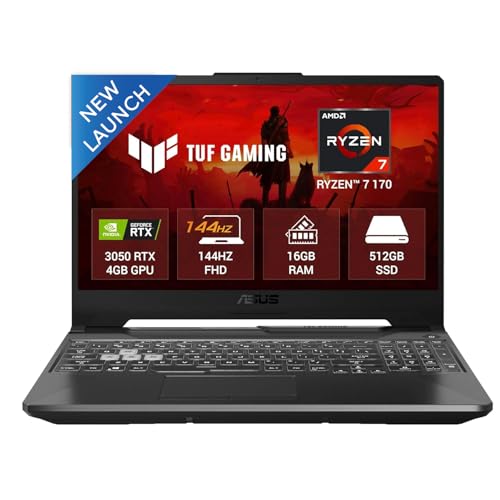
The ASUS TUF A15 pairs a Ryzen 7 processor with an RTX 3050, 16GB DDR5 RAM, and a 144Hz screen. It suits students and gamers who want a strong entry point into PC gaming with upgrade-friendly memory.
Pros
- Ryzen 7 processor with 8 cores and 16 threads
- 16GB DDR5 RAM and PCIe 4.0 SSD
- 144Hz anti-glare display
- Three USB Type-A ports, USB-C, HDMI 2.1, and LAN
Cons
- RTX 3050 has 4GB graphics memory
- 250-nit screen is modest for bright rooms
- 48Wh battery is smaller than several rivals
- 720p webcam offers basic video quality
The TUF A15 offers a sensible mix for gaming and study. Its Ryzen 7 170 processor handles browser tabs, coding tools, office work, and CPU-heavy tasks with ease. The RTX 3050 drives esports titles well at Full HD, while the 144Hz panel gives fast games smoother motion. For newer demanding games, you will need sensible graphics settings because the GPU has 4GB of GDDR6 memory.
ASUS includes 16GB DDR5 RAM and leaves room for memory upgrades, which helps the laptop stay useful for longer. The port selection works well for a desk setup with a mouse, headset, external drive, and wired network. The TUF series has a broad service presence in India, though service quality still depends on your local ASUS centre. Its 2.3kg body and smaller battery suit users who move between home and college, rather than frequent travellers.
HP Victus fb3134/20ax
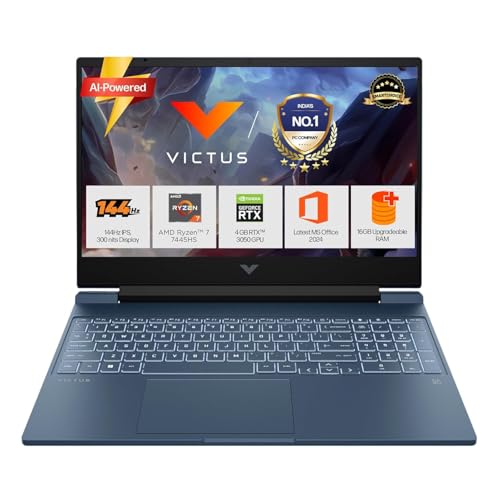
The HP Victus fb3134/20ax combines a Ryzen 7 7445HS processor, RTX 3050 6GB graphics, 16GB DDR5 RAM, and a brighter 144Hz IPS panel. It is a good fit for gaming, college work, and content creation on one machine.
Pros
- Ryzen 7 7445HS with 6 cores and 12 threads
- RTX 3050 with 6GB dedicated graphics memory
- 300-nit 144Hz IPS display
- Numeric keypad, fast charging, and upgradeable RAM
Cons
- Single 16GB RAM module may affect dual-channel performance
- Screen covers 62.5 percent of the sRGB colour space
- 512GB storage fills quickly with large games
- 2.29kg weight is high for daily commuting
The Victus fb3134/20ax places more graphics memory behind the RTX 3050 than the ASUS model. This helps in games and creative software where texture memory matters. The Ryzen 7 7445HS offers a good response for compiling code, editing photos, and keeping several applications open. Its 300-nit IPS display is easier to use in a bright Indian room, although the limited colour coverage suits general content work better than professional colour grading.
HP adds a full-size backlit keyboard with a number pad, a useful touch for spreadsheet work and long assignments. USB-C with DisplayPort support helps with a second screen, and the 52.5Wh battery supports fast charging. HP has a wide service network in Indian cities, with online support and authorised repair options available in many regions. Check spare-part access in your town before ordering, since service turnaround differs between locations.
HP Victus fb3130AX

The HP Victus fb3130AX steps up to RTX 4050 graphics while keeping the Ryzen 7 7445HS, 16GB DDR5 RAM, and 144Hz IPS display. It suits buyers who want stronger gaming performance without moving to a bulkier desktop replacement.
Pros
- RTX 4050 with 6GB dedicated graphics memory
- Ryzen 7 7445HS supports demanding workloads
- 300-nit 144Hz IPS panel
- Wi-Fi 6, HDMI 2.1, USB-C DisplayPort, and LAN
Cons
- Single 16GB RAM module limits factory dual-channel operation
- 62.5 percent sRGB coverage is weak for colour-critical work
- 512GB SSD leaves limited space for a large game library
- No numeric keypad for users who prefer full-size input
The RTX 4050 gives the fb3130AX a clear performance lead over RTX 3050 models in this group. It is a better choice for modern Full HD games, 3D work, and GPU-assisted editing. DLSS support also helps compatible games maintain smoother frame rates. The Ryzen 7 7445HS handles everyday work without slowing down when you move from gaming to coding or media work.
The display has the right basics for gaming, with 144Hz refresh, IPS viewing angles, anti-glare treatment, and 300-nit brightness. Colour coverage limits its use for serious print or video colour work, so professionals may want an external monitor. HP’s India support network is a practical advantage for buyers in major cities. Keep the rear and side vents clear of dust, and use a raised stand during long gaming sessions in hot weather.
Lenovo IdeaPad Slim 3 83KA004TIN

The Lenovo IdeaPad Slim 3 83KA004TIN is a light AI-ready laptop with a Ryzen 7 8840HS processor, 24GB RAM, 1TB SSD, and a 15.3-inch WUXGA IPS screen. It targets work, study, coding, and light creative tasks rather than serious gaming.
Pros
- Ryzen 7 8840HS with 8 cores and 16 threads
- 24GB DDR5 memory in a mixed soldered and SO-DIMM layout
- 1TB PCIe 4.0 SSD with storage expansion support
- 1.6kg body, 1080p IR webcam, and privacy shutter
Cons
- Integrated graphics are not suited to demanding modern games
- Only 8GB RAM is soldered to the motherboard
- WUXGA screen uses a 60Hz class office-oriented design
- Slim body offers less cooling headroom than gaming laptops
This IdeaPad makes sense for buyers who value low weight and high everyday responsiveness. The Ryzen 7 8840HS handles programming, spreadsheets, browser-heavy work, photo editing, and light video editing. Its 24GB memory gives apps more breathing room than many mid-range laptops, while the 1TB SSD reduces the need for an immediate external drive. Integrated Radeon graphics work for casual games and older titles, but this is not a substitute for an RTX gaming laptop.
The 15.3-inch 1920×1200 panel gives extra vertical space for documents and timelines. TUV low blue light certification, a backlit keyboard, and a 1080p IR webcam with privacy shutter add value for home and office use. Lenovo has a large India support network and useful online warranty tools, though doorstep coverage depends on your pin code. The lighter chassis is easier to carry in Indian public transport, but keep expectations realistic for sustained high-load work.
HP Victus fa2309
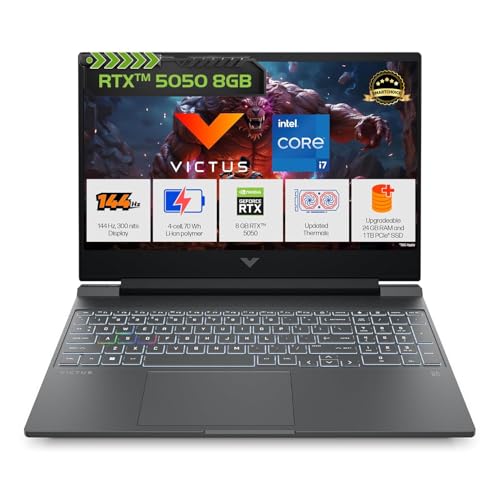
The HP Victus fa2309 is the most graphics-focused option here, with an Intel Core i7-13620H, RTX 5050 8GB, 24GB DDR5 RAM, and a 1TB SSD. It suits gamers and creators who need more graphics memory and storage from the start.
Pros
- RTX 5050 with 8GB GDDR7 graphics memory
- Core i7-13620H with 10 cores and 16 threads
- 24GB DDR5 RAM and 1TB PCIe NVMe SSD
- 70Wh battery, RGB keyboard, and 144Hz IPS display
Cons
- Highest purchase cost in this selection
- 720p webcam is ordinary for video calls
- Screen covers 62.5 percent of the sRGB colour space
- 2.3kg body and gaming charger reduce travel comfort
The fa2309 has the strongest graphics specification in this selection. Its RTX 5050 with 8GB GDDR7 memory gives newer games and GPU-based creative applications more room than the 4GB or 6GB options. The Core i7-13620H brings six performance cores and four efficiency cores, so the laptop handles gaming beside recording, browser use, and editing work with less pressure. The 1TB SSD also gives a practical start for large game installs and project files.
The 144Hz IPS panel suits fast games, while 300-nit brightness works for most indoor use. Colour coverage is still limited, so a creator who needs accurate output should budget for an external display. HP’s broad Indian support coverage helps with warranty visits and parts access in larger centres. The 70Wh battery is a welcome size increase, but gaming performance still needs the charger, and hot rooms call for good airflow around the intake vents.
Buying Guide
Set the right budget
The models in this list cover entry-level RTX gaming, stronger mid-range gaming, and a light office-focused laptop. Start with your main workload. Casual gaming and college work fit the ASUS TUF A15. Modern games and GPU work justify an HP Victus with RTX 4050 or RTX 5050. Choose the Lenovo when weight, battery use, and office work matter more than graphics performance. Also keep money aside for a laptop stand, cooling pad, external storage, or a monitor if your setup needs one.
Choose the processor for your workload
The Ryzen 7 170 in the ASUS model offers 8 cores and 16 threads. The Ryzen 7 7445HS models use 6 cores and 12 threads, while the Ryzen 7 8840HS uses 8 cores and 16 threads. The Intel Core i7-13620H has 10 cores and 16 threads. For gaming, the graphics card often decides frame rates first. For compiling, rendering, and heavy multitasking, core count and sustained cooling matter more.
Check the graphics card and memory
RTX 3050 models suit Full HD gaming with sensible settings. The 4GB version needs more care with texture quality, while the 6GB version gives extra room. RTX 4050 and RTX 5050 offer a better path for newer games and GPU-based applications. Check RAM layout before buying. A single 16GB module may run below the performance of two matching modules. The Lenovo uses 8GB soldered RAM plus a 16GB SO-DIMM, so its upgrade path differs from the HP and ASUS models.
Match the screen to your work
A 144Hz refresh rate helps fast games feel smoother, but screen brightness and colour coverage also matter. The ASUS display is rated at 250 nits, while the HP gaming models reach 300 nits. Each HP gaming panel lists 62.5 percent sRGB coverage, which suits gaming and general work more than colour grading. The Lenovo’s 1920×1200 panel gives more vertical room for documents, coding, and timelines.
Look at storage and expansion
A 512GB SSD works for office tasks and a few games, but modern game installations grow quickly. The 1TB drives in the Lenovo and HP fa2309 reduce storage pressure. Check whether a second drive bay exists before purchase, and confirm the exact upgrade parts with the brand. Keep at least 15 to 20 percent free space for consistent system response.
Consider heat, dust, and daily handling
Gaming laptops release more heat and need clear airflow. Indian summers, dust, and high room temperatures add stress during long sessions. Use a hard surface, clean vents at regular intervals, and avoid placing the laptop on a bed. The 1.6kg Lenovo is easier to carry, while the 2.29kg to 2.3kg gaming models suit desk use better. A good laptop bag with padding also protects the hinge and screen during travel.
Check battery and charger habits
Gaming performance depends on the charger, so treat battery life as a mobility feature rather than a gaming feature. The ASUS has a 48Wh battery, the HP fb3134/20ax lists 52.5Wh, and the HP fa2309 uses a 70Wh unit. The HP models support fast charging, which helps between classes or meetings. Carry the original adapter for demanding work and use battery saver settings for documents and browsing.
Review warranty and local support
Confirm the warranty period, accidental damage terms, and service method before payment. ASUS TUF, HP Victus, and Lenovo IdeaPad products have established India support channels, but doorstep service depends on location and product coverage. Keep the invoice and serial number safe. Ask the local service centre about RAM or SSD upgrades, since unauthorised work might affect warranty coverage.
Feature Importance
| Feature | Importance |
|---|---|
| Graphics processor | High |
| Processor generation and core count | High |
| RAM capacity and upgrade path | High |
| SSD capacity | High |
| Display refresh rate | Medium |
| Display brightness and colour coverage | Medium |
| Cooling and vent placement | High |
| Battery capacity and charging speed | Medium |
| Port selection and wireless standards | Medium |
| Warranty and India service access | High |


