


A good wall mount saves desk space, improves viewing comfort, and keeps a small TV or monitor away from accidental knocks. For bedrooms, compact living rooms, study tables, and work-from-home corners, a suitable bracket often makes the setup feel far more usable.
Before buying, check screen size, weight, VESA hole pattern, wall type, arm movement, and the distance from the wall. Tilt and swivel range matter when your seating position changes. In Indian homes, wall strength, dust, humidity, and installation quality deserve equal attention.
The products below cover affordable small-screen brackets along with a more adjustable monitor arm. Prices and stock change on Indian shopping sites, so check the latest listing, seller rating, included hardware, and return terms before placing an order.
Caprigo M416
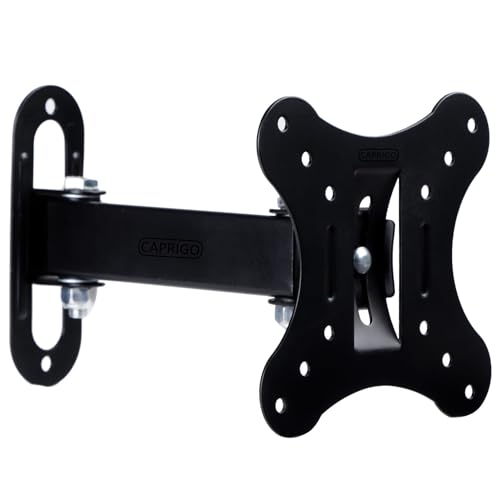
A compact full-motion wall mount for 12 to 27-inch TVs and monitors. Its 50 x 50 mm, 75 x 75 mm, and 100 x 100 mm VESA support gives it broad compatibility for small screens.
Pros
- Supports 12 to 27-inch screens
- Fits three common VESA patterns
- Offers plus or minus 15-degree tilt and plus or minus 90-degree swivel
- Includes a screw kit and installation manual
Cons
- The listing does not state a maximum supported weight
- Small VESA coverage limits use with larger displays
- Full-motion arms need firm wall anchoring
- Brand service coverage in India is not clearly published
Caprigo M416 suits a compact desk, kitchen display, small bedroom TV, or secondary monitor. The arm retracts close to the wall and extends up to 7 inches, giving you room to adjust viewing distance when glare or seating position changes. A 2-inch retracted depth helps keep the setup neat.
The three VESA patterns cover many small Samsung, LG, Dell, BenQ, Acer, Sony, and other displays. Tilt and swivel movement also help in rooms where the screen sits beside a window or in a corner. The thick-gauge steel construction should feel more reassuring than a light plastic bracket, though the wall and anchors still decide the final safety level.
The included universal screw set makes home installation easier, especially for buyers who do not want to source bolts separately. Caprigo does not publish a widely known India-wide service network in the supplied details. For support, keep the invoice and confirm seller assistance before installation, especially if your monitor has an unusual rear panel.
RISSACHI Adjustable TV Wall Mount
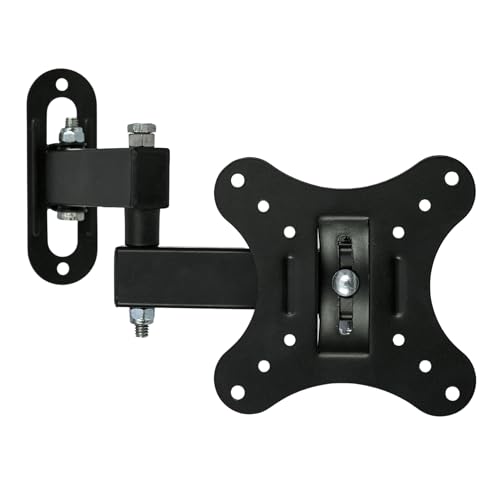
A small-screen movable mount for 12 to 27-inch LED and LCD displays. The corner-friendly arm suits compact home offices, study rooms, bedrooms, and small workstations.
Pros
- Supports 12 to 27-inch screens
- Tilt and swivel movement helps reduce glare
- Compact arm frees desk and floor space
- Metal construction suits regular indoor use
Cons
- The supplied details do not list exact VESA measurements
- Maximum supported weight is not stated
- Ceiling-mount wording in the listing is unclear for a wall bracket
- India service and warranty details need seller confirmation
RISSACHI Adjustable TV Wall Mount targets buyers who need a basic movable bracket for a small screen. Its arm suits tight corners and narrow desks, where a fixed mount would force one viewing angle. Tilt and swivel adjustments help when you move between a chair, bed, and nearby work area.
The metal build offers a practical base for everyday viewing, office work, or casual gaming. Since the listing does not state the exact VESA patterns or supported load, measure the rear holes on your TV or monitor before ordering. Also compare the display weight with the seller’s current specifications rather than relying on screen size alone.
The design should appeal to Indian apartments where every bit of desk space matters. For installation, use suitable masonry anchors for brick or concrete and avoid treating a thin partition as a solid wall. RISSACHI’s wider India service network is not described in the supplied information, so seller response and return support deserve a check before purchase.
Caprigo M414

A slim full-motion bracket for 12 to 27-inch TVs and monitors, with reinforced cold-rolled steel and support for 75 x 75 mm and 100 x 100 mm VESA layouts.
Pros
- Reinforced cold-rolled steel construction
- Supports 75 x 75 mm and 100 x 100 mm VESA patterns
- Provides plus or minus 15-degree swivel and plus or minus 8-degree tilt
- Includes M4 and M5 hardware with a manual
Cons
- VESA support is narrower than the Caprigo M416
- The listing does not state a maximum screen weight
- Three-inch wall clearance limits cable access compared with a longer arm
- Brand service network details in India are not clearly available
Caprigo M414 is a sensible choice when you want a cleaner, closer-to-wall installation. The arm keeps the screen about 3 inches from the wall, while the slim profile helps a small monitor or TV sit neatly above a compact desk. Anti-rust powder coating adds useful protection in humid rooms and coastal Indian cities.
Its movement range is more controlled than an arm built for large displays. A 15-degree side swivel helps with corner placement, while 8-degree tilt assists with glare and eye-level adjustment. The support for curved, smart, Android, and Google TVs refers to screen type, but the rear VESA holes and weight still need individual checking.
Caprigo includes M4 and M5 screws, washers, and a user manual, which reduces the need for a separate hardware trip. The listing does not provide a broad India service network record. Buyers should keep the packaging and invoice, then contact the seller if the supplied bolt length does not suit the display.
MOUNTUP Single Monitor Wall Mount

A full-motion monitor arm for flat or curved screens up to 32 inches and loads from 4.4 to 19.8 pounds. It adds height movement and 360-degree rotation for a more ergonomic desk setup.
Pros
- Supports screens up to 32 inches
- Fits 75 x 75 mm and 100 x 100 mm VESA patterns
- Provides tilt, swivel, height adjustment, and 360-degree rotation
- Lists three-year support and installation help
Cons
- Costs more than the compact fixed-purpose brackets in this list
- Not suitable for drywall alone
- Its stated load range starts at 4.4 pounds
- A heavier arm needs careful anchoring into a stud, brick, or concrete wall
MOUNTUP Single Monitor Wall Mount is the strongest fit for a serious work-from-home or gaming station. The arm supports both flat and curved monitors, and its height adjustment gives you more control over eye level than a short TV bracket. Landscape-to-portrait rotation also helps people who read documents, code, or long web pages.
The detachable VESA plate simplifies monitor attachment, while the spring-assisted mechanism is intended to make movement easier. MOUNTUP lists compatibility with wood studs, brick, and concrete, but excludes drywall-only installation. This matters in Indian homes with hollow partitions, where the wrong anchor can loosen under repeated movement.
MOUNTUP lists three-year support and invites buyers to contact customer service for installation or pre-purchase questions. That written support promise gives this model a clearer after-sales position than products with only marketplace seller details. Use a stud finder where suitable, choose anchors for the wall material, and leave enough cable slack for arm movement.
Earwig Adjustable Wall Mount
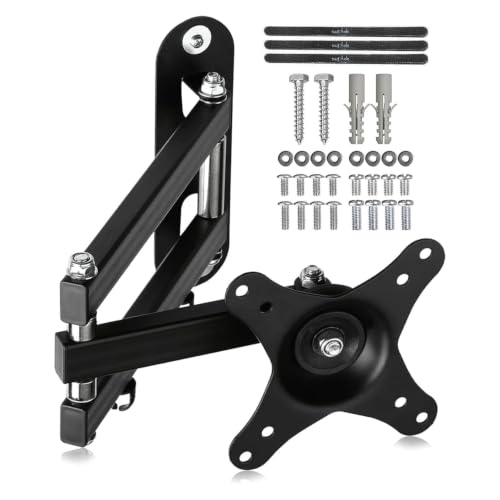
A full-motion bracket for 15 to 27-inch TVs and monitors, with 75 x 75 mm and 100 x 100 mm VESA support. Its long swing arm suits corner setups and side-angle viewing.
Pros
- Supports 15 to 27-inch screens and loads up to 13 kg, as listed
- Offers 360-degree rotation, 180-degree swivel, and plus or minus 20-degree tilt
- Extends up to 380 mm from the wall
- Includes cable concealment panels and mounting hardware
Cons
- The listing text refers to Suptek in several places, so brand details need verification
- The title and feature text differ on the upper screen-size limit
- Long extension increases leverage on weak walls
- India warranty and service terms are not clearly stated
Earwig Adjustable Wall Mount gives you the widest movement range among the compact brackets here. The arm reaches up to 380 mm, helping when the screen must swing around a corner or face a sofa placed away from the wall. A 63 mm folded depth keeps the bracket relatively close when you push the display back.
The listed 360-degree rotation, 180-degree swivel, and plus or minus 20-degree tilt provide useful control for work, entertainment, and shared viewing. Cable concealment panels help reduce loose wires, which is useful near a study table or a wall-mounted set-top box. The stated 13 kg load limit still requires careful matching with your display’s actual weight.
One point needs attention before purchase. The feature text names Suptek while the product title names Earwig, and one section mentions 15 to 32-inch screens despite the title saying 15 to 27 inches. Confirm the current seller page, model label, warranty, and supplied hardware before ordering. No broad India service network is listed in the supplied data, so seller support matters.
Buying Guide
Start with screen size and weight
Screen size alone does not tell you whether a bracket is safe. Check the TV or monitor manual for weight without its stand, then compare the figure with the mount’s stated limit. A long arm creates more pull on the wall when extended, so leave extra safety margin for corner positions and frequent movement.
Check the VESA pattern
Measure the horizontal and vertical distance between the four mounting holes on the rear panel. Common patterns in this list include 75 x 75 mm and 100 x 100 mm. Caprigo M416 also supports 50 x 50 mm. Match the pattern before checking colour, arm length, or discount.
Match the mount with your wall
Brick and concrete walls need suitable masonry anchors. Wood studs need lag screws placed into the centre of the stud. Drywall alone needs a mount designed for hollow walls and the correct rated anchors. MOUNTUP specifically excludes drywall-only installation, so read such limits carefully.
Choose movement for your room
A short arm suits a screen placed directly in front of you. Swivel movement helps with corner desks and side seating. Tilt assists when the screen sits above eye level. A long extension gives more positioning freedom, but also adds leverage and needs stronger anchoring.
Think about cable access
A screen close to the wall looks tidy, yet tight clearance makes HDMI, power, and USB connections harder to reach. Measure plug depth before installation. Leave a gentle cable loop so movement does not pull on the ports. Cable panels, such as those listed for the Earwig model, help reduce loose wiring.
Check build quality and installation hardware
Steel construction suits most small TV and monitor setups, while spring-assisted arms offer easier movement for heavier monitors. Inspect the plate, joints, washers, and screw threads before mounting. Use the supplied manual as a starting point, then replace an unsuitable anchor instead of forcing it into the wall.
Review warranty and seller support
Brand service details differ across these listings. MOUNTUP lists three-year support. Caprigo, RISSACHI, and Earwig do not provide a clearly stated India-wide service network in the supplied information. Save the invoice, photograph the package contents, and confirm return terms before drilling holes.
Account for Indian rooms and weather
Dust, humidity, and coastal air can affect exposed metal over time. Powder-coated or rust-resistant finishes suit humid rooms better. Keep the bracket away from direct water, inspect screws after installation, and avoid mounting above a heat source. In rented homes, check whether drilling into the wall is allowed.
Feature Importance
| Feature | Importance |
|---|---|
| VESA pattern match | High |
| Maximum supported weight | High |
| Wall type compatibility | High |
| Screen size support | High |
| Mounting hardware quality | High |
| Tilt and swivel range | Medium |
| Arm extension distance | Medium |
| Cable management | Medium |
| Rust-resistant finish | Medium |
| Warranty and seller support | High |


